App Pinning / App Locking
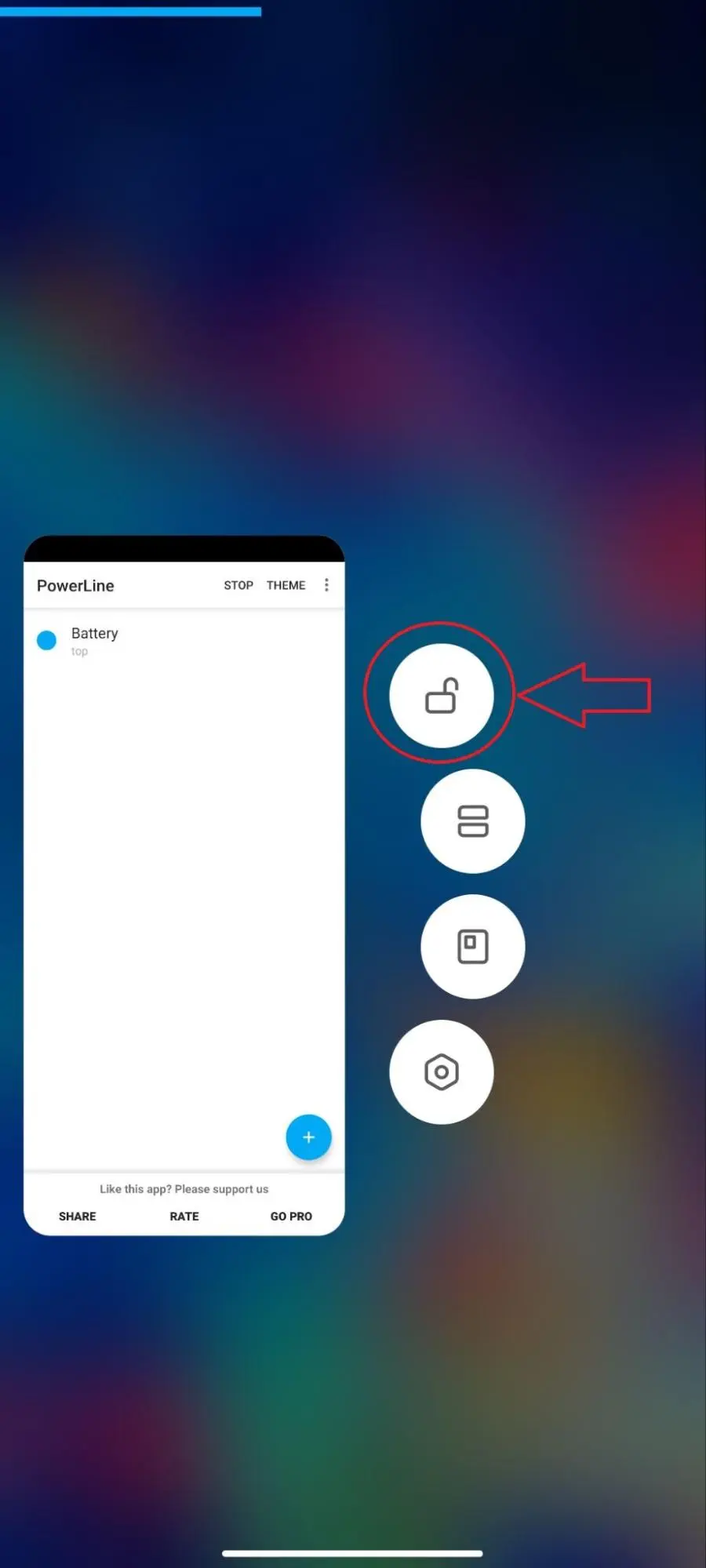
- Open the recent apps tray.
- Drag the VPNHouse app downwards to lock it, ensuring it remains active.
- On certain devices, long-press the VPNHouse app and select the padlock icon.
Autostart Permission
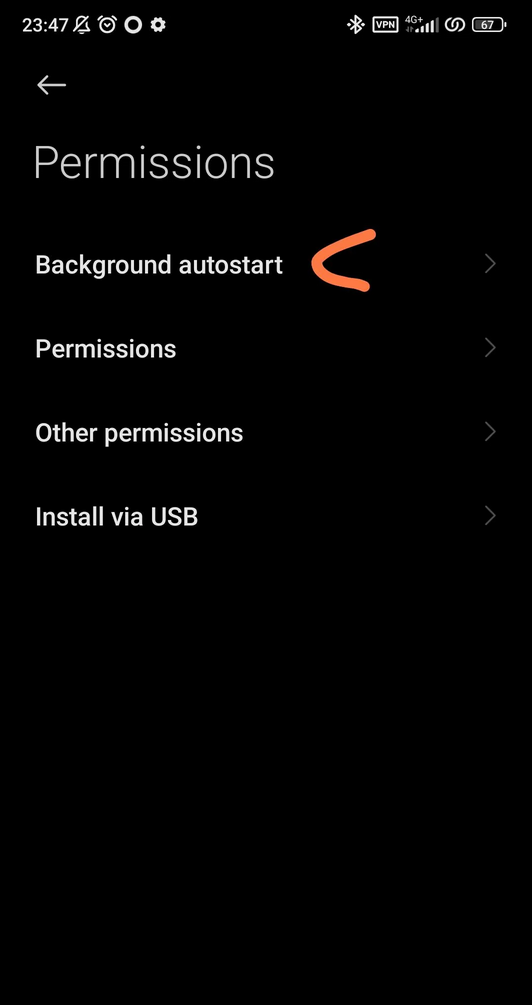
- Navigate to Settings > Apps > VPNHouse > App permissions.
- Enable "Background autostart."
MIUI Optimizations

- Activate developer mode by tapping on the MIUI version in "About phone" ten times.
- In Developer settings, disable MIUI optimizations.
Power Management
- Set the Power plan to Performance.
- Protect VPNHouse in Battery Manager.
- Disable "Power-intensive prompt" and enable "Keep running after screen off."
App Battery Saver
- Go to Security > Battery > App Battery Saver.
- Set VPNHouse to "No restriction."
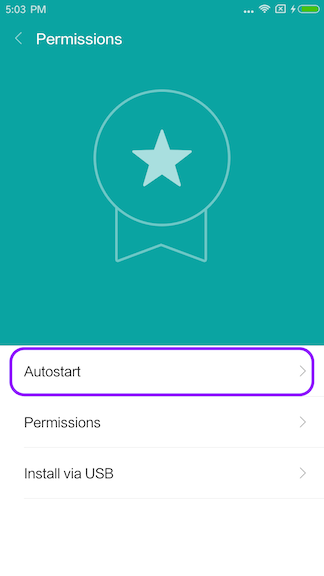
Autostart
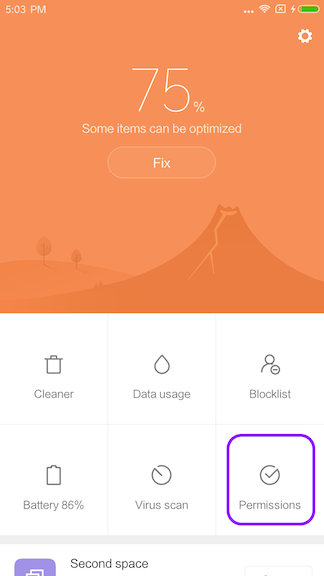
- Open the Security app > Permissions.
- Enable "Autostart" for VPNHouse.
Hidden Settings
- Some Xiaomi phones have concealed settings. Consider using apps like "Hidden Settings For MIUI" or "MQS - Quick Settings for MIUI" from the Play Store to access these.
A Note to Our Users
The VPNHouse development team is fully aware of the architectural nuances presented by Xiaomi's MIUI. We value your experience and are actively working to adapt our VPN app for Android to ensure even smoother functionality on Xiaomi devices in the near future. Your patience and trust are greatly appreciated.